
The Relationship Between Android and Linux: A Deep Dive
Introduction
When people think of operating systems, Linux and Android often come up as two of the most influential platforms in computing. While they serve different purposes—Linux as a general-purpose OS for servers, desktops, and embedded systems, and Android as a mobile-centric platform—they share a deep-rooted connection.
But how exactly are they related? Is Android just a modified version of Linux? Why doesn’t Android run standard Linux applications? And what role does the Linux kernel play in Android’s architecture?
In this comprehensive guide, we’ll explore:
- The Linux foundation of Android
- Key modifications Google made to the Linux kernel for Android
- Why Android isn’t “just Linux”
- The differences between Android and traditional Linux distributions
- The impact of Linux on Android’s success
By the end, you’ll have a clear understanding of how Android leverages Linux while carving its own unique path in the mobile world.
1. Android’s Core: The Linux Kernel
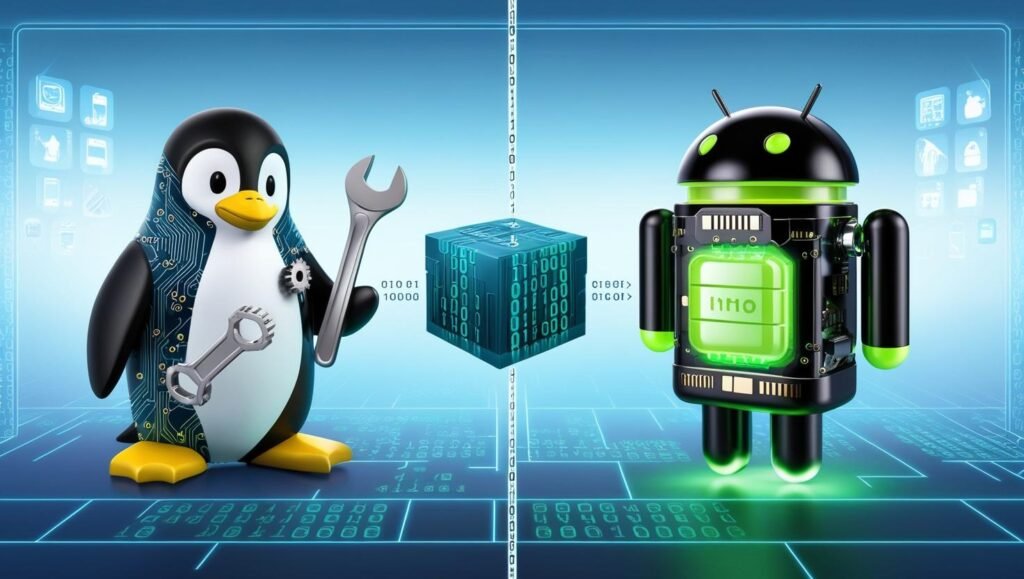
At its heart, Android is built on top of the Linux kernel. The kernel is the core part of any operating system, managing hardware resources, memory, security, and process execution.
Why Did Android Choose Linux?
Google selected Linux as the foundation for Android because:
- Open-source nature: No licensing restrictions, allowing customization.
- Stability & scalability: Linux is proven in embedded systems and servers.
- Hardware support: Extensive driver support for processors, GPUs, and peripherals.
- Security model: User permissions, process isolation, and SELinux integration.
However, Android doesn’t use a standard Linux kernel. Instead, Google maintains its own long-term support (LTS) fork with modifications tailored for mobile devices.
Key Modifications in Android’s Linux Kernel
| Feature | Standard Linux | Android’s Linux |
|---|---|---|
| Power Management | Basic CPU governors | Enhanced wakelocks & low-memory killer |
| Binder IPC | Uses traditional IPC (pipes, sockets) | Custom Binder driver for inter-process communication |
| File Systems | ext4, XFS, Btrfs | YAFFS2 (older) → ext4/f2fs (modern) |
| Security | SELinux (optional) | Mandatory SELinux enforcement |
| Graphics | Standard DRM/KMS | SurfaceFlinger & HAL for GPUs |
These changes optimize Android for battery efficiency, touch input, and mobile hardware constraints.
2. Android vs. Traditional Linux Distributions
While Android uses the Linux kernel, it diverges significantly from conventional Linux distros like Ubuntu or Fedora.
Major Differences
| Aspect | Traditional Linux | Android |
|---|---|---|
| User Interface | X11/Wayland + Desktop Environments (GNOME, KDE) | Android Framework (Java-based UI) |
| Software Ecosystem | Native apps (ELF binaries, package managers like APT/DNF) | APK-based apps (Dalvik/ART runtime) |
| System Libraries | GNU C Library (glibc) | Bionic libc (lightweight alternative) |
| Init System | systemd, SysVinit, OpenRC | Android init + proprietary daemons |
| Shell Access | Full Bash/Zsh support | Limited (ADB shell, Termux for add-ons) |
Why Can’t Android Run Standard Linux Apps?
- Different C library: Android uses Bionic instead of glibc, breaking compatibility.
- No X11/Wayland: Android has its own display server (SurfaceFlinger).
- Missing GNU tools: Core utilities like
bash,grep, andsedare stripped down or absent.
However, projects like Termux and Linux Deploy allow running Linux software inside Android with some tweaks.
3. The Android Open Source Project (AOSP) and Linux
Android is developed under the Android Open Source Project (AOSP), which includes:
- A modified Linux kernel
- Android Runtime (ART) – Replaced Dalvik for better performance
- Hardware Abstraction Layer (HAL) – Standardizes driver interfaces
- Native libraries (e.g., WebKit, SQLite, OpenGL ES)
Unlike most Linux distros, AOSP doesn’t include the GNU toolchain, making it distinct from traditional Linux systems.
Google’s Control Over Android’s Linux Kernel
Google maintains its own Android Common Kernel branches, periodically merging updates from upstream Linux. However:
- Not all Linux features are included (e.g., no mainline GPU drivers).
- Vendor kernels are often outdated due to manufacturer fragmentation.
This leads to security challenges, as many Android devices run older kernels with unpatched vulnerabilities.
4. The Legal Side: GPL Compliance in Android
Since Linux is GPL-licensed, any modifications to the kernel must be open-sourced. Google complies by:
- Releasing kernel source code for Android versions.
- Publishing AOSP under the Apache License 2.0 (more permissive than GPL).
However, proprietary Android additions (Google Play Services, OEM skins) remain closed-source, leading to debates about software freedom.
5. The Future: Will Android Move Away from Linux?
Rumors occasionally surface about Google replacing Linux with Fuchsia OS, a microkernel-based system. However:
- Linux remains deeply embedded in Android’s architecture.
- Fuchsia is experimental, with no clear roadmap for replacing Android’s kernel.
For now, Linux remains the backbone of Android, ensuring stability and hardware compatibility.
Conclusion: Android and Linux – A Powerful Partnership
Android’s relationship with Linux is complex but symbiotic:
✅ Uses Linux for core functionality (process management, drivers, security).
✅ Modifies it heavily for mobile optimization (Binder, power management).
✅ Diverges in user space (no GNU, custom runtime, APK ecosystem).
While Android isn’t a traditional Linux distribution, its success owes much to Linux’s flexibility and scalability. Understanding this relationship helps developers, enthusiasts, and users appreciate the engineering behind the world’s most popular mobile OS.


