Linux for Neurodivergent Coders Custom UIs for ADHDAutism I Linux I Linux Maestro

Linux for Neurodivergent Coders: Custom UIs for ADHD/Autism

“Struggling with focus or sensory overload while coding? Discover how Linux’s endless customization can create the perfect neurodivergent-friendly environment. From stim-soothing terminal themes to wobbly windows that boost concentration and eye-tracking navigation for reduced fatigue – this guide shows ADHD and autistic programmers how to build their ideal workflow. Transform your Linux setup into a productivity haven that works with your brain, not against it.”

Linux for Kids: Teaching 5-Year-Olds Coding Through Play

Linux for Kids: Teaching 5-Year-Olds Coding Through Play

Want your kids to learn real tech skills instead of just swiping screens? Linux transforms learning into play with:

🐧 Minecraft terminal modding – Where “sudo” becomes a game cheat code
🎨 Python Turtle art – Draw robots while learning loops
🛡️ Privacy-first controls – Block ads without spying

These open-source tools prove even 5-year-olds can grasp coding basics—while having way more fun than with locked-down tablets. The best part? No data mining, no subscriptions, just pure learning magic.

“Why let kids be tech consumers when Linux can make them creators?”

Why Developers Love Linux: Tools, Customization, and Freedom

Why Developers Love Linux: Tools, Customization, and Freedom

*”What do SpaceX, Google, and 90% of the world’s cloud servers have in common? They all run on Linux—and there’s a reason developers overwhelmingly prefer it. This deep dive reveals how Linux transforms coding from a chore into a superpower, offering:

🔥 A weaponized toolkit – From instant package installations to containerized microservices
🎨 Total environment control – Mold everything from kernel modules to pixel-perfect window managers
⚡ Raw performance – Compile code faster, debug deeper, and automate everything

Whether you’re a JavaScript junkie tired of bloated IDEs or a systems programmer craving bare-metal access, discover why Linux isn’t just an OS—it’s the ultimate developer sidekick.”*

Crontab Essentials: Automating Tasks on Linux

Crontab Essentials: Automating Tasks on Linux

*”Tired of running the same Linux commands manually? Unlock the power of automation with this ultimate crontab mastery guide. We’ll transform you from cron novice to scheduling expert, covering everything from basic ‘every 5 minutes’ jobs to advanced techniques like environment variables and process locking. Whether you need to automate backups, schedule Python scripts, or troubleshoot stubborn cron jobs, this comprehensive tutorial includes real-world examples, pro tips from sysadmins, and solutions to common pitfalls. Learn how to make your Linux system work for you – even when you’re sleeping!”*

How to Run Linux Apps on Android: The Ultimate Guide

How to Run Linux Apps on Android: The Ultimate Guide

“Your Android device secretly harbors the power of Linux—you just need to unlock it. This definitive guide reveals how to bypass Android’s limitations and run full Linux distributions, command-line tools, and even desktop applications directly on your phone or tablet. Whether you’re a developer needing Python and GCC on the go, a security researcher wanting Kali Linux in your pocket, or just curious about pushing Android to its limits, we compare four proven methods—from simple Termux setups to advanced rooted solutions. Discover which approach works best for your needs, how to optimize performance, and why some Linux apps still struggle on ARM devices. Turn your Android into the ultimate portable Linux machine today!”

Using Linux on Raspberry Pi: Projects and Ideas

Using Linux on Raspberry Pi: Projects and Ideas

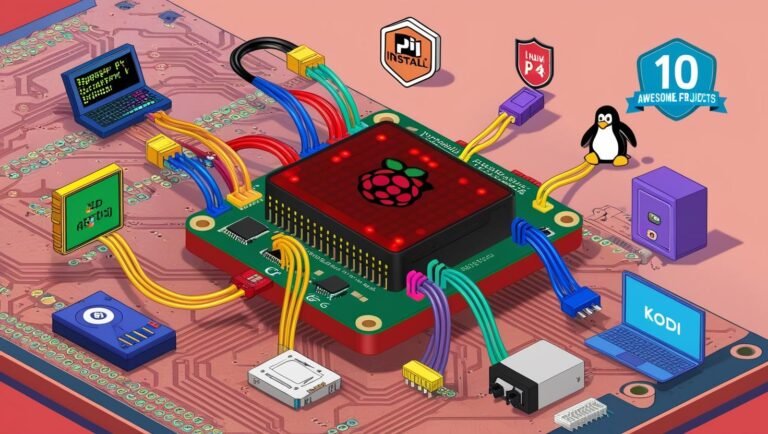
*”Your Raspberry Pi is more than just a tiny computer—it’s a gateway to endless Linux-powered possibilities. Imagine turning this $35 device into a retro gaming console, an ad-blocking powerhouse, or even your own private cloud server.

In this guide, you’ll discover:

The best Linux distros for your Pi (spoiler: it’s not just Raspbian)

10 game-changing projects you can build in a weekend

Pro tips to squeeze maximum performance from your Pi

Real-world examples with copy-paste commands

Whether you’re a DIY enthusiast, aspiring homelab admin, or educator, these projects will transform how you use Linux on the Pi. No advanced skills needed—just a willingness to tinker!”*

Why This Works:
✔ Opens with a “wow” statement ($35 device doing incredible things)
✔ Teases practical outcomes (gaming, ad-blocking, cloud server)
✔ Highlights accessibility (no advanced skills needed)
✔ Speaks to multiple audiences (hobbyists, homelabbers, teachers)

Alternative (Problem-Solution Style):
*”Tired of your Raspberry Pi collecting dust? This isn’t another ‘blink an LED’ tutorial. Discover 10 legitimately useful Linux projects—from whole-home ad blocking to a personal Netflix alternative—that actually justify keeping your Pi powered on 24/7.”*


An Introduction to Shell Scripting: Automating with Bash

An Introduction to Shell Scripting: Automating with Bash

*”Tired of typing the same Linux commands over and over? What if you could automate backups, clean logs, and monitor systems with just a few lines of code? Bash scripting transforms you from a command-line user into a Linux power user—and this guide gives you the fastest path to mastery.

Inside, you’ll discover:

The 5-minute ‘Hello World’ script (seriously, it’s this easy)

How variables and loops turn repetitive tasks into one-click solutions

Real automation examples (backups, log cleaning, health checks)

Pro tips to avoid script disasters (quote your variables!)

Whether you’re a sysadmin, developer, or hobbyist, these skills will save you hours every week. The terminal isn’t just for commands—it’s your automation playground.”*

System Monitoring Tools for Linux: From netstat to glances

System Monitoring Tools for Linux: From netstat to glances

“Is your Linux system running sluggishly? Are mysterious processes eating up your CPU or bandwidth? Before your server buckles under pressure, arm yourself with the ultimate toolkit for Linux system monitoring. This comprehensive guide walks you through must-know command-line tools—from the basics (top, netstat) to power-user favorites (glances, Prometheus). Discover how to:

Spot resource-hungry processes in real-time

Diagnose network bottlenecks like a pro

Track historical performance data to catch trends

Set up enterprise-grade monitoring dashboards

Whether you’re troubleshooting a slow server or optimizing performance, these proven techniques will give you complete visibility into your system. No more guessing—just data-driven insights!”

Hardening Your Linux System: Essential Security Tips

Hardening Your Linux System: Essential Security Tips

*”Think your Linux system is secure by default? Think again. Cyberattacks target unpatched vulnerabilities, weak SSH configurations, and unnecessary services every day. This comprehensive Linux hardening guide gives you 12 actionable security measures—from locking down SSH and enforcing 2FA to configuring firewalls, encrypting disks, and implementing kernel protections. Whether you’re managing a mission-critical server or a personal workstation, these proven techniques will help you build an intrusion-resistant system that complies with enterprise security standards. Don’t wait for a breach to happen—start hardening today!”*